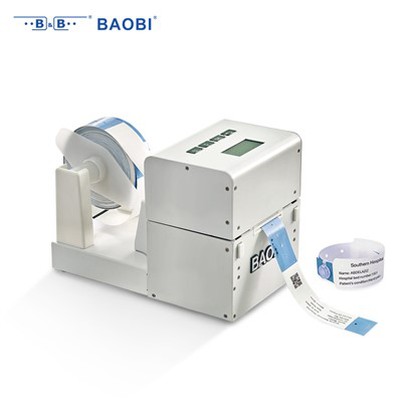
What is the installation process for Event RFID Wristband scanners?
Leave a message

Hey there! As an event RFID wristband supplier, I often get asked about the installation process for event RFID wristband scanners. So, I thought I'd break it down for you in this blog post.
Understanding Event RFID Wristbands
Before we dive into the installation process, let's quickly go over what event RFID wristbands are. RFID stands for Radio Frequency Identification. These wristbands have a tiny RFID chip embedded in them, which can store data like a unique ID number or other relevant information about the wearer. Event organizers use these wristbands for various purposes, such as access control, ticketing, and tracking attendance.
There are different types of RFID wristbands available, like the Event RFID Wristband - UHF. UHF (Ultra High Frequency) wristbands offer a longer read range and faster data transfer compared to other frequencies, making them a popular choice for large - scale events. Additionally, for more specialized applications, we also have Healthcare RFID Wristband - UHF and Healthcare RFID Wristband, but for this blog, we'll focus on event - specific scanners.
Pre - installation Preparations
- Define Your Goals: First off, figure out what you want to achieve with the RFID system. Are you using it for basic access control at the entrance gates, or do you also want to track movement within the event venue? Maybe you plan to use the data for marketing purposes later. Knowing your goals will help you determine the number of scanners you need and where to place them.
- Inventory Check: Before you start the installation, make sure you have all the necessary components. This includes the RFID scanners, mounting brackets, power cables, network cables (if it's a network - connected scanner), and any software installation DVDs or online activation keys.
- Venue Assessment: Walk around the event venue and identify the best locations for scanner placement. For access control, you'll obviously want scanners at the main entrances and exits. If you're tracking movement inside the venue, consider placing scanners at key areas like food stalls, stages, and restrooms. Make sure the areas are well - lit and have a clear line of sight for the scanners to read the RFID wristbands accurately.
Installation Steps
- Mounting the Scanners: Most RFID scanners come with mounting brackets. Use a drill and appropriate screws to attach the brackets to the walls, gates, or other stable surfaces at the chosen locations. Make sure the scanners are mounted at a height where they can easily read the wristbands. Usually, a height of around waist - level to chest - level works well.
- Power Connection: Plug in the power cables to the scanners. Some scanners may use a standard electrical outlet, while others may require a DC power supply. Double - check the power requirements of your scanners and make sure you have the right adapters.
- Network Setup (if applicable): If your scanners are network - connected, you'll need to set up the network connection. This may involve connecting the scanners to a local network switch using Ethernet cables. You may also need to configure the IP addresses of the scanners on your network. If you're not tech - savvy, it might be a good idea to hire a professional IT person to help with this step.
- Software Installation: Install the RFID scanner software on your management computer. This software allows you to manage the scanners, view the data collected from the wristbands, and perform other administrative tasks. Follow the installation instructions provided with the software carefully. You may need to enter activation keys or connect to an online server for software updates.
- Calibration: Once the scanners are installed and the software is set up, it's time to calibrate the scanners. This involves adjusting the settings of the scanners to ensure accurate reading of the RFID wristbands. You may need to adjust the read range, sensitivity, and other parameters depending on your specific requirements. Test the scanners by having a few people with RFID wristbands walk through the scanning areas and check if the data is being recorded correctly.
Post - installation Testing
After the installation and calibration, it's crucial to conduct thorough testing. Here are some things you should do:
- Functionality Testing: Have a group of people with RFID wristbands pass through the scanners at different speeds and angles. Make sure the scanners are able to read the wristbands accurately every time. Check if the data is being transferred correctly to the management software.
- Error Handling Testing: Try simulating some error scenarios, like a wristband being damaged or having a low battery. See how the scanners and the software respond to these situations. Make sure there are proper error - handling mechanisms in place.
- Load Testing: If you expect a large number of people to pass through the scanners during the event, conduct load testing. Have a large group of people pass through the scanners simultaneously to see if the system can handle the load without any issues.
Maintenance and Support
Once the RFID scanner system is up and running, regular maintenance is essential to keep it in good working condition. Here are some maintenance tips:
- Clean the Scanners Regularly: Dust and dirt can affect the performance of the scanners. Use a soft, dry cloth to clean the scanner surfaces.
- Check the Cables and Connections: Periodically inspect the power cables, network cables, and other connections to make sure they are secure and not damaged.
- Update the Software: Keep the scanner software up - to - date to ensure compatibility with new RFID wristbands and to take advantage of any security patches or new features.
If you run into any problems with the RFID scanner system, don't worry. As a supplier, we offer comprehensive support services. Whether it's a technical issue with the scanners, a problem with the software, or a question about the data analysis, our team of experts is here to help.
Why Choose Us as Your Supplier
We're not just another supplier. We have years of experience in the RFID industry, and we understand the unique needs of event organizers. Our event RFID wristbands are of the highest quality, and our scanners are reliable and easy to use. We offer customized solutions based on your specific requirements, and our support team is available 24/7 to assist you.
If you're interested in purchasing event RFID wristbands and scanners for your upcoming event, or if you have any questions about the installation process or our products, don't hesitate to reach out. We're here to make your event a success with our state - of - the - art RFID technology.


References
- RFID Technology Basics: A Guide to Understanding Radio Frequency Identification. [Publisher's Name], [Year of Publication]
- Event Management Best Practices: Incorporating RFID Systems. [Author's Name], [Year of Publication]