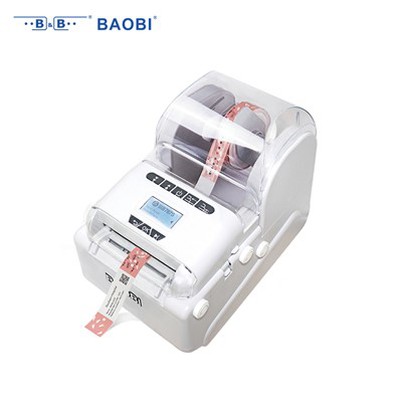
How to order replacement parts for a wristband printer?
Leave a message

As a supplier of wristband printers, I understand that ordering replacement parts can be a daunting task for many customers. In this blog post, I'll guide you through the process of ordering replacement parts for a wristband printer, ensuring that you can keep your equipment running smoothly and efficiently.
Step 1: Identify the Printer Model
The first step in ordering replacement parts is to identify the exact model of your wristband printer. Different printer models have different parts, and using the wrong parts can damage your printer or cause it to malfunction. If you're unsure about your printer model, you can usually find this information on the printer itself, in the user manual, or on the original purchase documentation.
For instance, if you own an RFID Wristband Printer BB720A HF, you'll need to look for replacement parts specifically designed for this model. Similarly, if you have a Barcode Wristband Printer or a Barcode Label Printer, make sure to order parts that are compatible with these models.
Step 2: Determine the Necessary Parts
Once you've identified the printer model, the next step is to determine which parts you need to replace. Common replacement parts for wristband printers include print heads, ribbons, cutter blades, and rollers. Here's a brief overview of how to identify if these parts need replacement:
- Print Heads: If you notice faded or incomplete prints, streaks on the wristbands, or if the printer is making unusual noises during the printing process, it could be a sign that the print head needs to be replaced.
- Ribbons: Ribbons are used to transfer ink onto the wristbands. If the prints are coming out faint or if there are gaps in the printing, it might be time to replace the ribbon.
- Cutter Blades: If the wristbands are not being cut cleanly or if the printer is having trouble cutting through the material, the cutter blades may need to be replaced.
- Rollers: Rollers help to feed the wristbands through the printer. If the wristbands are jamming or not feeding properly, the rollers could be the problem.
Step 3: Source the Replacement Parts
There are several ways to source replacement parts for your wristband printer. You can order directly from the printer manufacturer, from authorized distributors, or from third - party suppliers.
- Manufacturer: Ordering from the manufacturer ensures that you're getting genuine parts that are specifically designed for your printer model. However, this option may be more expensive and could have longer lead times.
- Authorized Distributors: Authorized distributors also carry genuine parts and often have a good inventory. They may offer competitive prices and faster shipping compared to the manufacturer.
- Third - Party Suppliers: Third - party suppliers can sometimes offer more affordable parts. However, it's important to ensure that the parts are of good quality and compatible with your printer. Read reviews and check the supplier's reputation before making a purchase.
As a wristband printer supplier, we have a wide range of replacement parts in stock for various printer models. We can provide you with high - quality parts at competitive prices and ensure fast delivery.
Step 4: Place the Order
Once you've determined the parts you need and found a reliable source, it's time to place the order. When placing the order, make sure to provide the following information:
- Printer Model: Clearly state the model of your wristband printer to ensure that you receive the correct parts.
- Part Names and Numbers: If available, provide the part names and numbers. This will help the supplier to quickly identify the parts you need.
- Quantity: Specify the quantity of each part you need.
- Shipping Address: Provide the shipping address where you want the parts to be delivered.
- Contact Information: Include your contact information, such as your phone number and email address, in case the supplier has any questions about your order.
Step 5: Installation and Testing
After receiving the replacement parts, it's important to install them correctly. If you're not familiar with the installation process, refer to the printer's user manual or contact the supplier for installation instructions. In some cases, the supplier may offer installation services or technical support.
Once the parts are installed, test the printer to make sure it's working properly. Print a few test wristbands and check for any issues, such as faded prints, jams, or incorrect cutting. If you encounter any problems, don't hesitate to contact the supplier for further assistance.
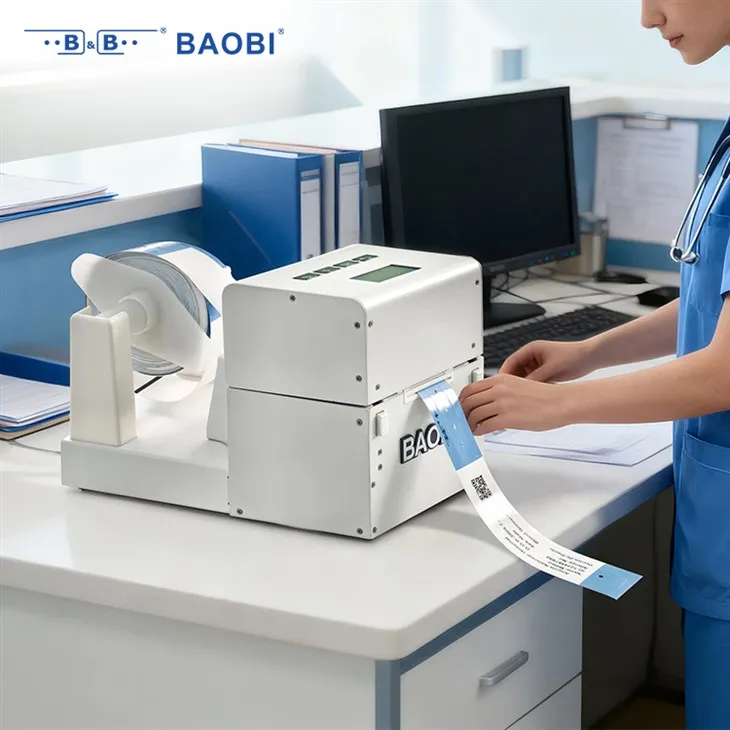

Tips for Maintaining Your Wristband Printer
To minimize the need for replacement parts and keep your wristband printer in good working condition, here are some maintenance tips:
- Regular Cleaning: Clean the printer regularly to remove dust, debris, and ink residue. Use a soft, lint - free cloth and a mild cleaning solution recommended by the manufacturer.
- Proper Storage: Store the printer in a clean, dry environment. Avoid exposing it to extreme temperatures or humidity.
- Follow Manufacturer's Guidelines: Follow the manufacturer's guidelines for loading wristbands, ribbons, and other consumables. Improper loading can cause damage to the printer and its parts.
Conclusion
Ordering replacement parts for a wristband printer doesn't have to be a complicated process. By following the steps outlined in this blog post, you can ensure that you get the right parts, install them correctly, and keep your printer running smoothly.
If you're in need of replacement parts for your wristband printer or have any questions about our products and services, we'd love to hear from you. Contact us to discuss your requirements and start a purchase negotiation. We're committed to providing you with the best solutions for your wristband printing needs.
References
- Manufacturer's user manuals for wristband printers.
- Industry best practices for printer maintenance and part replacement.